Maps and Search
A Message button where they search.
Your Message button shows up in Apple Maps, Safari and Search. One tap opens a chat with your agent, no number needed.
GGlow Skin ClinicSkin care · Open until 7 PM
CallMessageWebsiteDirections
Channel · iMessage
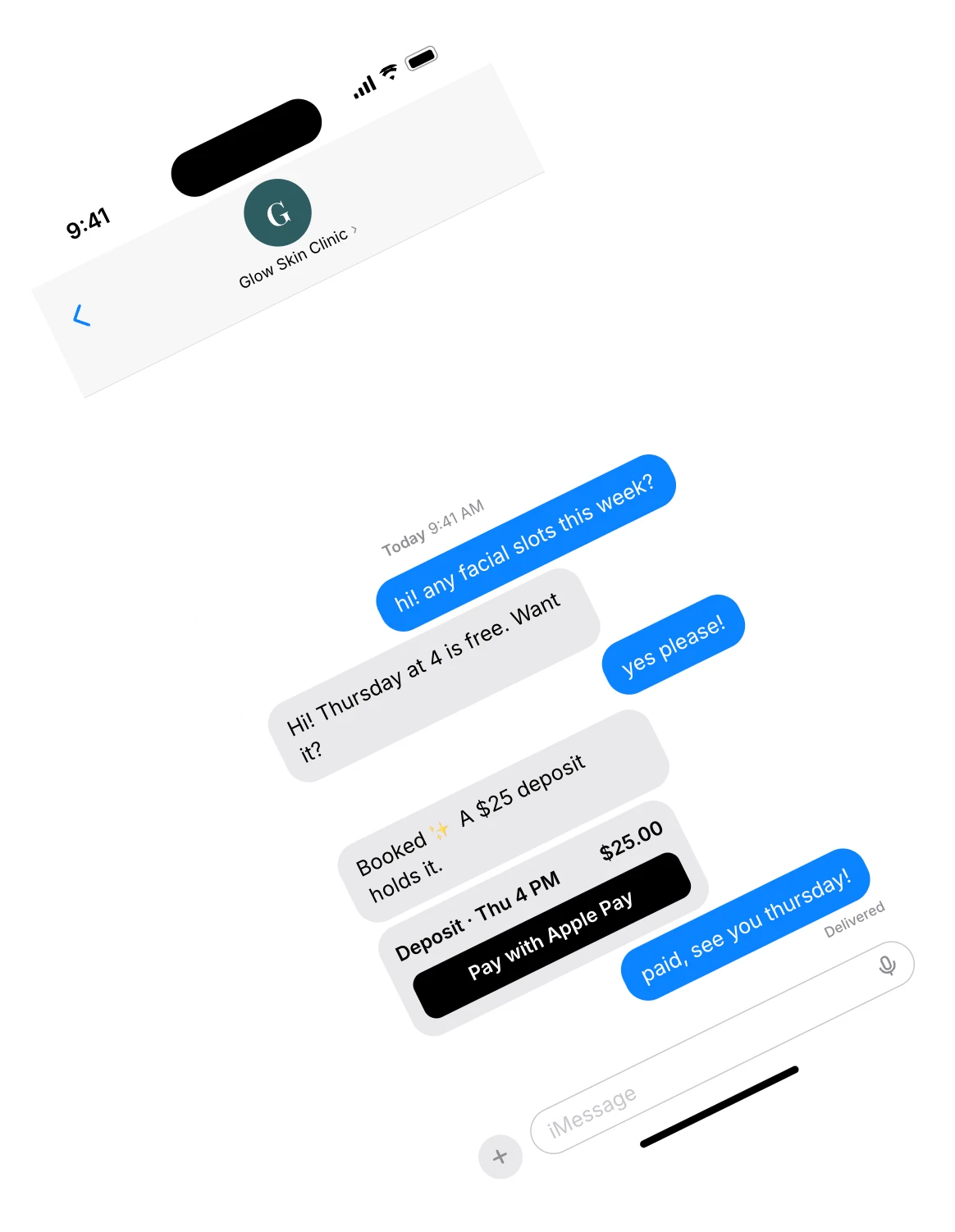
iPhone customers can message you straight from Maps, Safari and Search. Your AI agent answers in iMessage and books them in.
Get early accessYour agent replies in seconds with your real prices, sends the free times to tap, then books the one they pick, all in the same iMessage chat.
Customers tap Message and chat in the app they already use. The only change: an answer before their screen locks.
Answered in 4 seconds.
Day or night. “Delivered,” then an answer.
Opens right in Messages.
Nothing new for them to download.
Your name and logo, verified.
Checked by Apple, so they know it's you.
Maps and Search
Your Message button shows up in Apple Maps, Safari and Search. One tap opens a chat with your agent, no number needed.
Apple Pay
It sends the deposit right in the chat. They pay with Face ID, and the slot is theirs.
Apple checks every business before its first chat. We guide you through each step, or do it with you on a 20-minute call.
Sign up in Apple Business Register. It's free.
Your name and logo, checked by Apple.
A Message button on Maps and your website.
Send it a test iMessage, then switch it on.
Something else? Just ask us.
No. It opens in the Messages app on their iPhone, iPad or Mac.
It varies. Your agent can answer on your website chat and your other channels while you wait, and iMessage switches on as soon as Apple says yes.
iMessage is for Apple devices. Android customers reach the same agent on your website chat, WhatsApp or the other channels you connect.
Yes. The agent sends the deposit in the chat and they pay with Face ID or Touch ID without leaving Messages.
Yes. Jump into any chat from your Supercorner inbox. The agent sees you stepped in and leaves that chat to you.